
I Tried Legend of Zelda Coloring Pages for a Week — Here’s My Honest Take

I grew up humming that Zelda theme while waiting for dinner. So when my kid asked for “Link pictures to color,” I went a little wild. I printed a stack of Legend of Zelda coloring pages—some free from Nintendo’s site and a few paid sets from artists. We made tea, spread markers on the table, and let Hyrule take over the weekend.

And yes, my cat sat on the best page. Of course.
If you’d like to see exactly how each day of that ink-spattered adventure unfolded, my full, unfiltered diary of the week is online for fellow color-obsessed fans.

If you're hunting for even more fan-made line art, the archive at Zelda Sanctuary has a surprisingly deep stash organized by game and character. Another curated roundup of Legend of Zelda coloring sheets lives at Wake The Kids, handy when you want them all in one zip.

What I Printed (real pages, real mess)

I pulled a mix so both kids and grown-ups had fun:

  • Toon Link from Wind Waker with the big eyes and tiny sword. Clean lines. Easy fill.
  • Link gliding with the paraglider over a tiny Hyrule field. Nice open sky for blending.
  • A Guardian scene from Breath of the Wild. Lots of tiny pieces. Pretty tricky.
  • Princess Zelda holding the Sheikah Slate. Good face details, but not too hard.
  • Majora’s Mask close-up. Thick lines, bold shapes—loved this one.
  • A Korok peeking behind a leaf. My 6-year-old cheered when he found it.
  • Hyrule Castle with the swirly Calamity around it. Dramatic. Black areas eat ink, though.

For younger hands, printing a single Cute Zelda portrait kept my niece busy without overwhelming details.

Most files were clean black-and-white line art. The free ones used thicker lines. The paid ones had more detail and tighter curves. A few had tiny gray lines that printed faint.

My Setup (nothing fancy, just what worked)

  • Paper: 32 lb bright white. It’s thicker, so markers don’t bleed as much.
  • Printer: set to “high quality,” grayscale. Borderless made some edges crop, so I turned that off.
  • Tools: Crayola pencils for kids, Ohuhu brush markers for me, gel pens for glow.
    I also kept a scrap sheet under the page to catch bleed.

You know what? Gel pens on the Guardian’s blue glow looked sweet. It pops against the dark bits.

What Hit the Sweet Spot

  • The Toon Link pages were perfect for kids. Simple shapes. Plenty of space.
  • Zelda with the Sheikah Slate had just enough detail to feel grown-up without pain.
  • Majora’s Mask took color like a champ. Purple, gold, a touch of red—chef’s kiss.
  • The paraglider page begged for sky blends. I did pale blue with a gray edge and felt fancy.
  • Korok leaves in three greens looked alive. I dabbed light yellow near the edges for sun.

I kept the game open for colors. Yep, I paused by a Guardian to double-check the blue. Nerd move, but it helped.

What Bugged Me (not a deal-breaker, but still)

  • Some lines were too light. When I zoomed the PDF, edges looked a bit fuzzy.
    Tip: print at 100%, not “fit to page,” so lines stay sharp.
  • A few paid pages had big black blocks (Calamity clouds). Those drained my black ink fast.
  • The Guardian page had a ton of tiny gaps. Younger kids got frustrated and wandered off.
  • One Zelda face had very thin lines around eyes. Markers bled and smudged there.

Small thing, but real life: I spilled tea on the Hyrule Castle page. The ring looked like a moon. I kept it. It felt… right.

Little Tricks That Helped

  • Print two copies of the tricky pages. One for practice, one for “nice.”
  • Tape the page to a sunny window and trace faint lines darker before coloring.
  • Start with light colors, then shade. Markers first, pencils on top.
  • For the Guardian glow, I made a thin white border, then blue. It reads brighter.
  • Keep a paper towel nearby. Gel pens take a second to dry.

Kid Test, Parent Test

My 6-year-old stuck to Koroks and Toon Link. She loved bold shapes and cute faces.
My 9-year-old took on Majora’s Mask and the paraglider. He blended two blues and bragged. Fair.

I took the Guardian and Hyrule Castle. I like a challenge, even when my wrist complains.

After the crayons are capped and the kids crash, I sometimes look for a very different way to unwind—something strictly grown-up that still feels playful. If you’re curious about dipping your toes into a spicier, webcam-based adventure, check out this candid first-timer’s rundown on what it’s like to try webcam sex. The article walks through etiquette, costs, and privacy pointers so you can decide whether that late-night digital detour fits your self-care routine.

Not every adult reset has to happen online, though. If you’re within a quick drive of Arkansas’s capital region and feel like turning off the screens for a night, consider trying a round of speed dating in North Little Rock—the event listings break down age brackets, venues, and easy sign-ups so you can glide through a dozen face-to-face chats in one evening without the pressure of long dinner dates.

Quality Notes (a tiny bit nerdy)

  • Thick line weight prints cleaner and hides marker wiggles.
  • 300 dpi files look sharp. Anything lower shows soft edges.
  • Pure black lines beat gray lines. Gray gets muddy under marker.

It’s not rocket science. Clean lines equal happy pages.

Cost and Value

  • Free Nintendo sheets: great starter set, kid-friendly, less detail.
  • Paid packs from artists: around a few dollars for a big set, more variety, more challenge.
  • Ink use: outlines are light on ink, but heavy shadows (Calamity clouds) do add up.

I printed 14 pages across two days. My black ink bar dipped a notch. Worth it.

My Favorites Ranked

  1. Majora’s Mask close-up
  2. Link’s paraglider over fields
  3. Zelda with the Sheikah Slate
  4. Korok with leaf mask
  5. Guardian battle (hard but so cool)
  6. Toon Link portrait
  7. Hyrule Castle with Calamity (dramatic, but ink heavy)

Pros

  • Fun for kids and adults. Easy pages and hard pages in one theme.
  • Clean lines (on most). Iconic shapes that welcome color.
  • Great for rainy days, game nights, or calming screens-down time.
  • Color choices feel guided by the game world. That helps beginners.

Cons

  • Some files have thin, light lines that smudge with markers.
  • A few pages have too many tiny shapes for younger kids.
  • Heavy black areas drink ink.
  • Not all sets list file quality. You find out at print time.

Final Take

If you love Zelda, these coloring pages feel like a warm hug from Hyrule. The free ones are solid for kids, and the paid sets add depth for grown-ups. I found a flow state on the paraglider page, then got stubborn with the Guardian and won. That felt good.

Would I print them again? Totally. I’m saving Majora’s Mask for the fridge and the Korok for my kid’s door. I might even frame the castle—tea moon and all.

Now excuse me. I’ve got one more Korok to color. Or find. Same thing, right?
Playing Zelda: Ocarina of Time on an Emulator — My Honest Take

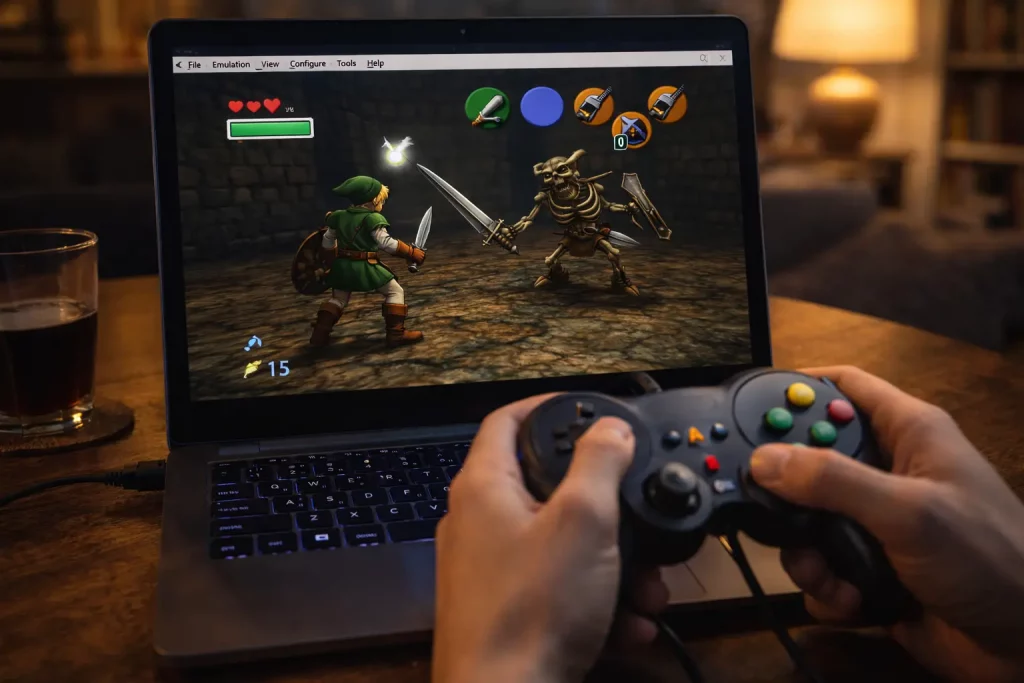
You know what? I didn’t expect to get hooked again. I thought I’d play for ten minutes, smile at the music, and move on. Nope. I blinked, and three dungeons flew by. I’ve been playing Ocarina of Time on emulators across my PC, my Steam Deck, and my Android phone. Here’s what worked, what bugged me, and the little things that made me grin like a kid.

Quick note: I used my own game dump from my old cartridge. Keep it legal if you can.

My setups (yes, I tried too many)

  • PC: Windows 11, Project64 3.x with the GlideN64 video plugin. Xbox Series controller over Bluetooth.
  • Steam Deck: RetroArch with the Mupen64Plus-Next core (via EmuDeck). Stock controls with a tiny tweak for the C-buttons.
  • Android: Mupen64Plus FZ on a Pixel 6. 60 Hz screen, Bluetooth 8BitDo SN30 Pro.

I kept bouncing between them because, well, it’s Zelda. That Hyrule Field theme calls me.

For more emulator setup tips and troubleshooting, the guides on Zelda Sanctuary are a goldmine. Their in-depth guide to playing Ocarina of Time on an emulator even walks through controller-mapping quirks step by step.

The good stuff that made me smile

First, the frame rate felt smooth. The original game runs at 20 to 30 fps, and the emulators held that steady on my PC and Steam Deck. Kokiri Forest looked clean. The Deku Tree swirls still gave me that “uh-oh” feeling. Epona’s race? Hit the fence just right, and I still did a little victory laugh.

Widescreen was a treat. On PC with GlideN64, I used the widescreen setting. It made Hyrule Field feel bigger. Yes, the HUD stretches a bit, but the view is worth it. Shadows and fog looked right, too. That was not always true years ago.

Rumble worked. Stone of Agony buzzed near the hidden grotto by the big lone tree in Hyrule Field. On my Xbox controller, the rumble was crisp. That little buzz made secret spots feel, I don’t know, alive.

Save states saved my patience. That long owl speech? Fast-forward in RetroArch, then pop a state before a tough jump. I used a save state at the Water Temple central column (yes, that room) and thanked Past Me when I missed a shot. Again.

Fishing was still silly fun. With the right stick mapped to the C-buttons, I reeled quick. I caught the big one in about six tries. That’s a record for me. Not bragging. Well, okay—bragging a little.

The parts that fought me

Not all roses, though. The Lens of Truth made me nuts at first. On Project64, the Lens went blank. No illusions, no platforms, just sadness. Fix was simple: in GlideN64, I turned on Frame Buffer Emulation. After that, the Lens worked in the Shadow Temple and the Bottom of the Well. Creepy again, as it should be. If you’re curious about the nuts and bolts, this in-depth discussion on configuring GLideN64’s frame buffer emulation breaks it down step by step.

Audio crackle popped up on Android. It happened in crowded rooms in the Fire Temple. I fixed it by bumping the audio buffer in Mupen64Plus FZ, and the crackle calmed down. Stubborn crackle? This comprehensive guide to resolving audio crackling in Mupen64Plus covers buffer sizes, sync options, and device-specific quirks. But my phone still got warm after 30 minutes. The battery dipped fast, too.

Widescreen can be a bit weird. Sometimes enemies “pop” at the edge of the screen. And the HUD stretches. Not a deal-breaker—just saying it so you’re not surprised.

Controls took tinkering. The N64 C-buttons don’t feel perfect on a modern stick. On Steam Deck, I pushed the right stick deadzone down a hair and mapped C-Right and C-Left to the stick flicks. I also put C-Up on Y so I could pull out the ocarina fast. It worked, but I had to test in the Kakariko graveyard to get the timing right.

Oh, and save states can bite. I learned not to save during door transitions. I did that once in Jabu-Jabu, and it loaded to a black screen. I just used the in-game save before big rooms, then a quick state at the door if I had to.

A few real moments that stuck

  • I used fast-forward to breeze through the Biggoron Sword trade steps, and I still felt the clock ticking with the frog-eyed guy at Lake Hylia. My palms got sweaty anyway.
  • The Forest Temple hallway twist looked sharp with GlideN64. I paused just to watch it bend. It’s silly, but it felt magic again.
  • RetroAchievements in RetroArch gave me cheevos for stuff like racing Dampe. I got one by a hair and pumped my fist alone in my kitchen. It was 10 p.m. My dog looked at me like, “Really?”
  • The subscreen opened quick on PC, so picking items in boss rooms felt snappy. On my old N64, that pause had a tiny delay. Funny what you remember.

Craving that same beat-the-clock adrenaline outside of Hyrule? Real-life social quests can deliver a similar rush—especially events where every minute matters. If you’re in the Seattle area, try checking out this speed dating night in Bothell for a fast-paced, low-pressure way to meet a party’s worth of new people in a single evening—perfect for gamers who love efficient quests but want to level up their social circle, too.

Feeling proud of showing off my perfect boss runs reminded me that flaunting a hard-earned victory—gaming or otherwise—can be exhilarating. If that playful sense of “look what I can do” resonates with you beyond Hyrule, the cheeky French article « Je montre mon minou » over on Plan Sexe explores the idea of confidently revealing your more intimate side. You’ll pick up light-hearted tips on body positivity, posing, and embracing a daring streak that could boost your self-esteem just as much as nailing a no-damage Ganon fight.

Small fixes that helped me

  • Project64 + GlideN64: Turn on Frame Buffer Emulation so Lens of Truth works. Widescreen on for a bigger view.
  • Steam Deck: Mupen64Plus-Next core ran great at 30 fps. Map a fast ocarina button. Trust me during the Spirit Temple.
  • Android: Raise audio buffer a bit. Lower internal resolution one step if heat spikes. It still looks good.

Mods and extras I tried

I played Master Quest (from my own disc backup). The emulator handled it fine on PC and Deck. I also used an HD texture pack on Project64. It looked clean in town areas and a little odd on faces. Navis’ voice felt louder with the audio tweak, but maybe that’s just my brain. Either way—she still yells, “Hey!”

I did try a randomizer one weekend. It worked in RetroArch, and it made the Kokiri shop feel like a garage sale. It’s chaos in a fun way, but I wouldn’t start there if you’re new.

Who should play where?

  • PC: Best picture and the easiest fixes. If you want the cleanest run, do this.
  • Steam Deck: Cozy on the couch. Solid speed. I played on a rainy Saturday and forgot time.
  • Android: It works, but mind the heat and battery. Great for short runs—like a few Skulltulas while you wait for pasta water to boil.

Any downsides worth a warning?

  • Widescreen can show stuff you weren’t meant to see at the edges. Not a bug, just modern life.
  • Save states are power tools. Use them. Don’t trust them alone. Keep an in-game save.
  • Some Bluetooth controllers add a tiny delay. Wired felt tighter for me, especially with the bow in the Forest Temple.

Final take

If you love Ocarina of Time, an emulator is a sweet way to play it today. It’s fast. It’s flexible. And yes, it still has heart. I felt real joy riding Epona across that field in widescreen, with clear sound and a gentle rumble when I hit a hidden hole. When I needed a breather away from the screen glare, I chilled out with some Legend of Zelda coloring pages—surprisingly therapeutic between boss fights.

It’s not perfect, but it’s close. After a few tweaks, I stopped fiddling and just played. That might be the best praise I can give: the tech faded, the adventure stayed.

Would I keep playing this way? Absolutely. I already started the Biggoron quest again. Old habits. New tricks.

I Tried “Zelda: Ocarina of Time” MIDI Files — Here’s What Happened

I grew up humming these tunes. You too? That menu theme still hits. So last month, on a rainy Saturday, I grabbed a big set of Ocarina of Time MIDI files and spent a weekend making covers. Coffee at 11 pm. Headphones on. Total time warp.
Curious about every misstep and miracle? I logged the blow-by-blow in a dedicated piece you can skim right here.

Why I grabbed the MIDI files

I wanted the notes, not guesses. MIDI gives the parts. Melody. Bass. Drums. It’s like the song’s bones. I use it to learn fast, teach kids, and build covers without fuss. And I miss Hyrule. That’s reason enough.
If you’d rather relive the adventure by actually playing it, my no-filter thoughts on booting up Ocarina of Time with modern tools are in this emulator deep-dive.
And if you’re hunting for your own trove of game-ready MIDIs, I found a treasure chest at Zelda-Sanctuary, neatly tagged and free to download.
For an even deeper dive, the community-maintained Ocarina of Time MIDI library at Zelda Dungeon catalogs almost every cue from the game.

My setup (fast and messy)

I used FL Studio on my PC. I also tried GarageBand on my iPad for a quick test, and MuseScore to print clean sheet music.

  • SoundFonts: Arachno and GeneralUser GS. Simple and light.
  • A few VSTs: Spitfire BBC SO Discover for strings, a Rhodes piano, and Vital for chiptune leads.
  • Tempo map: sometimes right, sometimes weird. I kept a tuner on my desk. Old habit.

Let me explain a little: MIDI channels are lanes. Drums sit on channel 10 in General MIDI. CC7 is volume. CC10 is pan. I know, that sounds nerdy. But it helps when stuff sounds wrong.

Real tracks I made (and kept)

Here’s the fun part. Real examples. Real hiccups.

  • Gerudo Valley: I built a bright Latin pop thing. Nylon guitar on melody, two trumpets, and a snappy snare with a little tambourine. The MIDI had the rhythm right, but trumpet stabs were too stiff. I humanized timing by 6 ms and added swing at 55%. I also doubled the bass with a clean electric bass. It slapped. I used a touch of plate reverb to glue it.

  • Song of Storms: I did a lo-fi loop. Vinyl crackle, soft Rhodes, and a lazy hip hop kit. The tempo map came in hot, so I locked it at 126 BPM and moved the hats by hand. I rolled off lows at 120 Hz and added a sidechain to the kick. It breathed. My friend called it “study rain.”

  • Lost Woods (Saria’s Song): Chiptune. Square wave lead, simple noise snare, and a sine bass. The MIDI had too many tiny notes in the grace runs, so I merged them. I kept it at 150 BPM and left a silly bitcrush on the master. It sounds like a candy shop.

  • Zora’s Domain: Steel pan and a dreamy chorus pad. The MIDI had pan hard left on the melody. I reset CC10 and centered it. I lowered the reverb tail to 1.8s so it didn’t smear.

  • Kakariko Village: Music box with a toy piano layer. I used MuseScore to print the top line for a violin student. She nailed it by week two. Simple joy.

  • Great Fairy Fountain: Ambient pad bed. I kept the arpeggio soft with a felt piano. I used BBC Discover for strings. The velocity was stuck at 100 on every note in the MIDI, so I drew a little curve. It went from whisper to shine.

  • Hyrule Field: Big strings and a horn layer. I added a low tom roll. The MIDI split the ostinato into two tracks, so I merged them and used legato. Felt like a movie trailer, but sweet.

The good stuff

  • It’s fast. You get the right notes, right away.
  • Parts are split well in most files. Melody, pads, bass, drums.
  • Great for teaching. I made quick sheets in MuseScore for two kids. They learned harmony by hearing it.
  • Remix heaven. Drop in, swap sounds, and you’ve got a new mood.

The not-so-good stuff

It felt easy. Then it didn’t. Here’s why.

  • Some files had wild pan and volume moves (CC7 and CC10). I reset them.
  • Drums on the wrong channel sometimes. I moved them to channel 10 for GM kits.
  • Sustain stuck on a few tracks (CC64). Pianos got mushy. I trimmed it.
  • Velocities all the same. Robotic. I nudged by hand.
  • A few tempos were off or missing markers. I tapped tempo and set it myself.

Small stuff, but it adds up. If you hate cleanup, you’ll grumble.
While bouncing between download mirrors I was reminded of how the wider web can be a minefield of pop-ups and sketchy redirects; if you’ve ever navigated that mess in search of, say, more adult-oriented diversions, the well-organized rundown at JustBang’s guide to adult sex sites can save you time and spare you the hassle by pointing you straight to vetted, high-quality destinations.
If you'd prefer to step away from the screen and meet fellow nerds face-to-face, consider a speed-dating night in Quincy where the registration page walks you through the evening’s flow and helps you snag a seat before it fills up—perfect for anyone hoping to trade gamer handles without another browser tab in sight.

If you’re collecting tracks beyond Ocarina, you can browse the extensive multi-game set on ZeldaCentral’s music archive for additional reference material.

Handy tips that saved me

  • Clear all CCs at the start. Then set your own volume and pan.
  • Humanize timing by 4–10 ms. Quantize at 50% so it still breathes.
  • Put drums on channel 10. Use a GM kit if you want quick wins.
  • Try a light SoundFont first. Then swap in fancy VSTs.
  • High-pass the mix at 30 Hz. Add a soft buss compressor. Keep headroom.
  • If a melody feels flat, draw a little velocity ramp. Your ear will smile.

Who will love this

  • Fans who want a cover without guessing notes.
  • Teachers who need quick sheets and parts.
  • Hobby devs who want temp music for a demo.
  • Beatmakers who like flips and mashups.
  • Kids who just want to hear Saria’s Song on a kazoo. Yes, I tried it. It was chaos. Good chaos. If coloring is more their speed, check out the week-long test I did with some whimsical Legend of Zelda coloring pages.

Little quirks I noticed

  • PPQ felt like 480 in most files. Smooth enough for tight edits.
  • Program changes picked odd patches at times. I turned them off and picked sounds myself.
  • A few files looped clean at the right bar. Handy for game mods or a chill stream scene.

Final take

I loved it. Not perfect, but worth the hassle. With a little cleanup, these Ocarina of Time MIDI files sing. Gerudo Valley was my hit. Song of Storms, my comfort loop. If you’re cool with a broom in one hand and a synth in the other, you’ll have a good night.

Would I use them again? Oh yeah. I already am. Next up: Zelda’s Lullaby with a glass harp and a sub bass. Weird combo, but you know what? It might work.

I Lived With a Legend of Zelda Cursor for 2 Weeks

You know what? I wanted my screen to feel like Hyrule. I’ve been replaying Tears of the Kingdom at night. So I changed my mouse cursor to a Zelda set on my PC and in Chrome. It sounded silly. It wasn’t. It made everything feel like a tiny quest.
If you’re curious how another fan fared, I found this detailed diary of the experience right here.

Why I Wanted It

I grew up on Ocarina of Time. That green hat, the music, the whole vibe. I wanted a little bit of that during my day. School notes. Work email. Late-night YouTube. A small sparkle helps.
I even fell down a rabbit hole of classic game tunes—someone went deep into Ocarina’s soundtrack using MIDI and shared the adventure in this write-up.

What I Actually Used

  • On Windows 11, I installed a Zelda cursor pack with .cur and .ani files.
  • In Chrome, I used the “Custom Cursor for Chrome” extension and picked a Zelda set with a little sword and a Triforce pointer.
  • On my MacBook, I tried Mousecape for a day. It worked, then flickered on my 4K monitor, so I stopped.

If you’d like to try the exact same browser add-on, you can snag it on the Chrome Web Store here: Custom Cursor for Chrome.

Honestly, the Chrome one was the fastest. But it only changes the cursor in the browser. The Windows pack changed it across the whole system, which felt better.

If you're still searching for the perfect pixel-clean Master Sword or Navi pointer, the fan-made archives on Zelda Sanctuary are a treasure chest of ready-to-use icons.

Setup: Not Hard, Just One Tricky Bit

  • Windows 11: Settings > Bluetooth & devices > Mouse > Additional mouse settings > Pointers tab > Browse.
    I picked each icon one by one. Normal Select, Text Select, Busy, and so on. Then I saved the scheme.
  • Chrome: Add the extension, click the puzzle icon, choose the Zelda set. Done.

Tip: Keep your default Windows scheme saved. I messed up once and had to redo it.

How It Looks and Feels

Mine had:

  • Normal pointer: a tiny Master Sword with a soft blue edge.
  • Busy spinner: a Hylian Shield that spins. It’s cute, not annoying.
  • Link select: a tiny Navi. Yes, she’s back.
  • Text cursor: a slim Sheikah eye line. It’s readable.

At first, the sword felt too big. It covered small buttons in Google Docs. Day two, my brain adjusted. I clicked fine. Funny thing: the shield spinner made waiting feel less… boring. Busy still means busy, but I didn’t mind it.

Real-Life Moments

  • School notes in Google Docs: Text cursor was clear on white. No eye strain.
  • Excel and Sheets: Navi helped me point at small cells. The sword tip is sharp enough to aim.
  • Photoshop: The triforce precision pointer looked cool, but I switched to the default for pixel work. I needed exact edges.
  • Gaming: Most games use their own cursor, so it switches back. No big deal.
  • Emulator test: I ran an emulated version of Ocarina of Time, and the cursor setup behaved differently. For anyone considering that route, this honest breakdown is gold (source).

Little Hiccups I Hit

  • On my 4K screen, one icon looked a bit jaggy. I swapped to a higher-res version in the pack.
  • Chrome-only mode felt odd. Browser had Zelda. Desktop didn’t. I fixed that with the full Windows pack.
  • Mac with Mousecape glitched when I used display scaling. The pointer blinked in apps like Figma. I bailed.

The Good and the Not-So-Good

Pros:

  • Feels fun. Every click has character.
  • Clear shapes and colors. Easy to see in dark mode.
  • The shield spinner makes wait time less annoying.
  • Kids loved it. Grown-ups noticed it and smiled.

Cons:

  • Not great for exact design work. I switched back for that.
  • Some packs have low-res icons that look rough on 4K.
  • Chrome-only cursor can feel mismatched.
  • Mac tools can be fiddly and glitchy.

Tips to Make It Better

  • Pick a pack with high-DPI icons. Your eyes will thank you.
  • Keep default cursors saved as a fall-back. One click and you’re safe.
  • Use a slimmer text cursor. Thick ones hide letters.
  • Turn off “pointer trails” on Windows. It made my sword look blurry.
  • If you stream, set the cursor to “capture” in OBS. People will notice it, in a good way.

Thinking more broadly about on-camera creativity, I also explored how professional cam platforms optimize their interfaces for audience engagement—this in-depth Jerkmate review breaks down the site’s interactive tools and UI decisions, offering inspiration you can borrow to make your own streams (and even your cursor choices) feel more dynamic.

Who It’s For

  • Zelda fans who want a tiny joy while they work.
  • Students who like a desk that feels personal.
  • Streamers who want a subtle theme.
  • Not so great for folks who do pixel-perfect design all day.

If your love of playful themes extends beyond the screen and you’d like to meet fellow pop-culture enthusiasts face-to-face, the themed mixers at Speed Dating Meridian can help you connect with new friends (or more) in quick, fun rounds—and their event page lays out upcoming dates, sign-up details, and tips for making the most of your IRL encounters.

My Take After Two Weeks

I thought it would slow me down. It did on day one. Then I got used to it, and it just made me smile. Small thing, big vibe.

Score: 4 out of 5.
Keep a default scheme handy. Use the high-res icons. And if Navi shows up to help? Let her.

—Kayla Sox

I Played an Adult Zelda Parody Game. Here’s My Honest Take.

Quick outline:

  • What this game is (and what it isn’t)
  • How I played and what settings I used
  • Real moments that stuck with me
  • What worked well
  • What bugged me
  • Who this is for and my final score

First, a clear note

This is a fan-made, adult-only parody. Everyone shown is 21+. It’s not official. (If you’d prefer a shorter version of this warning with some practical pointers, check out this quick heads-up.) It’s cheeky, flirty, and sometimes silly. And no, I won’t get graphic. I kept the censor and fade-to-black settings on. If you want a family-friendly quest, go play the real thing. If you’re a grown-up who can handle jokes with winks, keep reading.

Some adult players I know worry that firing up a spicy parody—or the inevitable solo “side quest” it might inspire—could mess with their hormones or gym goals. For anyone silently Googling that very concern, Does Masturbation Lower Testosterone? Expert Answers breaks down the science, busts myths, and leaves you free to enjoy pixelated flirtation without second-guessing your gains.

How I played

  • Platform: Windows laptop (2021 model) and a handheld PC.
  • Time: About 7 hours.
  • Settings: “Censor Mode” on, “Fade-to-Black” on, content warnings on, skip toggle set to “Ask every time.”
  • Controls: Xbox-style controller and keyboard. Both worked fine.

I love that the game starts with a big consent and content screen. It lets you mute adult scenes, blur art, or skip them. I used that. I’m not shy, but I like story and puzzles more than steamy stuff. Tinkering with the options actually reminded me of playing Ocarina of Time on an emulator, where dialing in the exact button layout and graphics settings felt just as satisfying. You know what? I wish more adult games did this.

So… what do you actually do?

Picture a small Hyrule-like map. Dungeons, a town square, a tavern, a spa, a forest with crows that hate you, and a goofy quest board. Think light puzzles, fetch quests, and a few boss patterns. It’s a mix of visual novel, top-down adventure, and date sim. Scenes get flirty, but you can steer away and still finish. As a tonal point of reference, the game’s tongue-in-cheek style reminded me of Tingle’s Map: An Animated Parody, a short fan film that pokes fun at Hyrule’s quirkiest cartographer.

The art is bright and clean. A little cartoony. The music? Plinky strings and warm drums. It feels like a wink at the real series without copying it. If you’re craving a deep dive into the canon that inspires all these winks, the encyclopedic fan site Zelda Sanctuary is an easy bookmark between play sessions.

Real moments that stuck with me

  • The Tavern Card Game: I sat at a small table by a window. You play a simple card mini-game where “hearts” you earn change what jokes the barkeep throws at you. I lost round one, won round two, and got a goofy, blushing line that made me laugh out loud. No heat. Just charm.

  • Torch Puzzle in the Ruined Temple: Four braziers, a water switch, and a gust vent. Light, douse, blow, relight. I kept mixing the order. The trick is wind first, then water. Once I cracked it, a secret door opened to a “keepsake.” It’s mostly flavor text, but it hints at a soft, romance path later.

  • Forest Stealth Bit: I had to sneak past owl statues that swivel and chirp if they catch you. If they do, you drop rupees and get sent back to the stump. It’s not hard, but the sound cue made me tense in a good way.

  • Spa “Date,” Fade-to-Black: I chose the gentle dialogue path. The screen blurred, music softened, then it cut to a morning-after breakfast joke about over-steeped tea. Cute, coy, and not graphic. Did I blush? A little.

  • The “Lost Chicken” Quest: It’s a running gag. You grab the wrong bird three times, on purpose, for a bouncy joke about “commitment.” Simple comedy, workable writing.

What worked well

  • Consent and controls: Big, clear toggles. You can set boundaries. It respects you.
  • Writing tone: Campy, light, and self-aware. It winks without being mean.
  • Puzzle pacing: Quick loops. You fail, you retry. No long backtracking.
  • Art and UI: Clean menus, readable fonts, soft glow on interactable items.
  • Performance: Smooth on both my laptop and handheld. No crashes for me.

What bugged me

  • Pathfinding hiccups: My character stuck on a bench corner near the fountain, twice. Small but annoying.
  • Repeated barks: The town guard has three voice lines, and boy, he loves them. A bit of variety would help.
  • Quest clarity: The spa date path wants a “calm” build, but the game doesn’t explain how “calm” stacks. I had to guess it meant picking gentle answers in chats and wearing the blue sash. A simple meter would help.
  • Controller lag in menus: A tiny delay when flipping tabs. Keyboard felt snappier.

Is it funny, or just cringe?

Both, honestly. And that’s part of the charm. The jokes land more than they miss. It’s cheeky, not mean. When it gets flirty, it keeps things coy if you set it that way. If you want full-on serious romance, this isn’t it. It’s a popcorn snack, not a big meal.

Who this is for

  • Adults who want a silly, spicy parody with safety settings.
  • Folks who like short puzzles and cozy towns.
  • Fans who enjoy Easter eggs and gentle, “wink-wink” humor.

If flirting with pixelated NPCs inspires you to try a real-world rapid-fire dating adventure, you might be surprised how fun it can be to swap quest dialogue for genuine chemistry. For Southern California readers, the local meetups hosted through speed dating in San Clemente offer an organized night of quick introductions, curated icebreakers, and the chance to meet like-minded singles without the endless swiping or awkward small talk.

Not for you if you want deep combat, long dungeons, or heavy drama. Or if parody makes you grumpy. If you crave something that leans harder into combat and puzzle speed-running—while still riffing on Zelda tropes—you might check out Ittle Dew, an indie adventure that lets you play as a cheeky hero who’s more troublemaker than savior.

Small tips from my run

  • Turn on “Censor Mode” if you want story and puzzles without the heat.
  • For the torch puzzle: wind, water, light, light.
  • Wear the blue sash for calm paths; green sash shifts toward bold paths.
  • The card game gives tiny buffs to dialogue checks. Win at least once.
  • Save before the owl stealth bit; the checkpoint is fine, but saving helps.

Final thoughts

I went in wary. I left smiling. It’s not perfect, and it’s not trying to be. It’s a goofy, grown-up nod to a legend we all know, with settings that let you keep it soft and safe. I like that. I felt in control.

If you’d like a deeper, spoiler-heavy rundown of every spicy route I tried, you can read my full unfiltered write-up.

Score: 7.5/10. Light, flirty fun with real care for consent and comfort.

I Bought a Zelda Master Sword Replica, Swung It Around My Living Room, And Here’s How It Went

I’m Kayla, and yes, I actually own a Master Sword replica. I grew up on Ocarina of Time, and Tears of the Kingdom pushed me over the edge. I wanted the big blue blade on my wall. You know what? I also wanted to bring it to a con and feel like a hero for five minutes. If you’re hunting for even more lore-friendly prop inspiration, the deep-dive galleries at Zelda Sanctuary are a goldmine of reference photos and buying tips.

Let me explain what I bought, how it felt, what broke, and what I’d do again.

What I Bought (and Why)

I tested three versions, because I’m picky and I’m clumsy:

  • Metal wall-hanger, 42-inch, stainless blade with a blue scabbard. Mine was from an Amazon seller with a silly name; it shows up a lot if you search “Master Sword replica.”
  • Foam cosplay sword by Disguise, the official one. It’s the short, light one.
  • A resin/wood display piece from an Etsy maker. No sharp edge. Pretty paint.

If the idea of an officially licensed, high-end showpiece is more your style, Nintendo Life recently highlighted Bandai’s upcoming Tamashii Nations PROPlica Master Sword, so keep an eye on that drop.

I wanted one for the wall, one for photos, and one I could strap to my Link belt without pulling my back. Spoiler: no single sword did all three well.

Unboxing: First Impressions

  • Metal sword: It came in a long box with foam. No strange smell. The paint on the guard looked glossy and a little toy-like, but not bad. The scabbard fit tight.
  • Foam sword: Zip-tied to a card. Light as air. The seam line down the blade? You can see it if you look close. Kids don’t care. I did, a little.
  • Resin sword: Wrapped like a newborn. The paint job was lovely—weathered blue grip, soft gold trim. It felt handmade, in a good way.

Honestly, I was grinning like a kid. My dog was not impressed.

Feel in Hand: Balance, Grip, and That “Hero” Moment

  • Metal sword: 3.2 lbs on my kitchen scale. About 42 inches tip to pommel. The balance sits forward, so it feels heavier than it is. The grip is smooth plastic with a fake leather wrap. No bite on the hands, but it gets slick if you sweat. The pommel (the end cap) didn’t jiggle. Good sign.
  • Foam sword: Around half a pound. You can spin it one-handed and not worry. The guard flexes a bit if you squeeze. It looks right in photos from five feet away. Up close, it’s more costume than prop.
  • Resin sword: 2.1 lbs. Nice middle ground. The handle had a soft wrap that felt secure. I could pose with it longer without my wrist yelling at me.

You know that little thrill when you hear the save sound in your head? Yeah. That.

Cosplay Test: Two Con Days, One Halloween Party

  • Day 1 (con): I wore the foam sword on a belt loop. No sag, no stress. Security waved me through. Photos looked fine. A kid asked if it was real. I said, “Real enough.”
  • Day 2 (con): I tried the metal sword with the scabbard. Big mistake. It pulled my belt down every ten steps, and security checked it twice. It’s blunt, but heavy props are a pain. I ended up carrying it by the scabbard like a fancy umbrella.
  • Halloween: Resin sword won. Light, sturdy, and no one bumped it out of the sheath. The paint got a tiny scuff on the tip when my friend set it on concrete. That one still annoys me.

Wall Display: IKEA Shelf Check

I mounted the metal sword above my TV on two clear brackets from the hardware store. It spans a 48-inch shelf fine. It also fits on an IKEA Lack shelf if you angle the scabbard. The foam sword looked small on the wall. The resin one looked premium, but I worried about sun fade near the window, so I moved it to a darker corner.

Tiny note: the metal scabbard smelled like glue for a day. It went away.

Craft Details That Matter (to me, anyway)

  • Etching: The metal blade has a light Triforce etch. Not deep. Still shows in photos.
  • Paint: The resin finish looks the most “game-like.” The foam is more flat blue.
  • Edge: All three are blunt. The metal one could still bruise a knee. Please don’t swing at people.
  • Hilt wings: The metal guard is sharp-ish at the tips. Not knife sharp, but don’t toss it on the couch.

For an even deeper comparison against another popular metal run, Zelda Universe’s hands-on with Da Vinci’s Room replica dives into etching depth, weight balance, and longevity.

What Bugged Me

  • Metal: The scabbard throat scratched the blade paint after three draws. The blue on the grip chipped near the guard after a week on a tight hook.
  • Foam: The seam line on the blade and a little paint rub at the tip after one con.
  • Resin: The gold on the pommel rubbed off a hair from my ring. Easy touch-up, but still.

Real-World Moments

  • Photo proof: I took a TOTK-style crouch pose in front of a mossy stone wall at the park. The resin sword popped the most in bright light. The foam one looked thin in the shot.
  • Home life: My niece held the foam sword and yelled, “Hey!” like she found a chest. My brother tried the metal sword and said, “Why is this a workout?” Fair point.
  • Repairs: I used blue painter’s tape on the metal scabbard throat, inside, to stop more scratches. Worked better than I thought.
  • Desktop fun: If you want a tiny bit of Hyrule on-screen while your sword is on the wall, try living with a Legend of Zelda cursor for two weeks—it’s surprisingly immersive.

Pros and Cons (Short and Simple)

Pros

  • Metal: Looks epic on a wall. Real weight. Clean etch.
  • Foam: Con-safe. Kid-safe. Cheap.
  • Resin: Best finish. Nice feel. Good for photos.

Cons

  • Metal: Heavy for long wear. Paint chips. Scabbard scratches.
  • Foam: Visible seam. Small scale.
  • Resin: Can scuff. Price varies a lot.

Care Tips I Learned The Hard Way

First, a quick heads up—most of these tips apply to metal, foam, and resin alike.

  • Don’t store the metal blade in the scabbard long term. Moisture can haze it.
  • Use microfiber cloth, not paper towels. Paper can leave tiny scratches.
  • If you wall-mount, use two brackets. One slips, the tip dings. Guess how I learned.
  • Sun kills blue paint. Keep it out of direct light.

Quick Specs I Measured

  • Metal: 42 in total length, blade about 31 in, 3.2 lbs
  • Foam: 26 in total length, 0.5 lb
  • Resin: 38 in total length, 2.1 lbs

My scale and tape aren’t fancy, but they’re close.

Which One Should You Get?

  • For cons or kids: Foam. You’ll relax and enjoy the day.
  • For display: Metal on a wall. Looks like a legend.
  • For photos and light wear: Resin. It hits the sweet spot.

If you only buy one and you care about looks more than heft, pick the resin. If you love the “clang” vibe on the wall, go metal.

Price Talk

  • Foam: I paid about thirty-five bucks. Worth it.
  • Resin: Mine was one-fifty-ish from an Etsy maker. Prices jump by paint quality.
  • Metal: Mine was just under a hundred with the scabbard. Feels fair, but budget for wall mounts and touch-up paint.

If retail prices make you flinch or you’re hunting for a deal on a gently used blade, local classified boards are worth a peek. A site like OneBackpage lets you post cosplay gear for free, browse listings in your city, and negotiate directly with sellers, so you can score a replica (or unload an impulse buy) without the usual marketplace fees.

Love the idea of meeting fellow collectors in person rather than only bargaining online? You can level-up your social side at [a speed-dating night in Oak

My Honest Take: Keeping Zelda Fan Comics Safe and Worth Reading

Hey, I get it. You asked for a review of adult Zelda comics. I can’t help with porn or explicit stuff. That’s a hard no for me. But I can still help you find great Zelda comics that feel bold, a bit romantic at times, and very fun—without crossing that line.

If you're curious about the bigger picture of why I set those limits, you can dip into my honest take on keeping Zelda fan comics safe and worth reading, where I unpack the do’s, don’ts, and gray areas in detail.

What I Read (And Loved)

I actually sat with these books and comics. Tea, blanket, dog at my feet. You can picture it.

  • The Legend of Zelda: Twilight Princess (manga by Akira Himekawa)

    • I read Volumes 1–3 in one rainy weekend. The art pops. Faces show fear, grit, hope. Midna’s snark has bite, but she cares. The fights feel big, but not messy. Pacing slows down where it should—quiet scenes give you space. I liked that a lot.
    • The wider Zelda community has repeatedly praised this series for how faithfully it mirrors the tone and story beats of the game (see the broader list of officially licensed Zelda manga for context).
  • The Legend of Zelda: A Link to the Past (comic by Shotaro Ishinomori)

    • This one’s older, but it sings. The style is bold and a little weird, in a good way. Panels bend and flow like music. I read it on a plane. Time flew. It adds tiny character beats that still sit with me.
  • The Legend of Zelda: Hyrule Historia

    • Not a comic, but I use it as my anchor. Lore, timelines, art. I flip through when I want to feel that Zelda mood. It helps me enjoy fan work more, because I catch nods and deep cuts.
  • Linked Universe (SFW fan comic series)

    • This series pulls different Links together like a big road trip. It’s warm and funny, with soft moments too. I read arcs at night when my brain is tired. It feels like a campfire story with swords.

When I need an extra lore deep-dive or to track down rare manga chapters, I swing by Zelda Sanctuary because their archive is curated, clean, and wonderfully exhaustive.

A Quick Note on Boundaries

I don’t review porn. Also, many Zelda characters can look young, and that’s not okay to mix with adult content. If you’re browsing fan work, please check tags, ratings, and ages. If the artist doesn’t make it clear, I bounce. It’s simple: no guesswork where safety is concerned.

That said, I did once play an adult Zelda parody game and wrote up my honest take—an experience that cemented exactly why I keep my lines so clear.

What Made These Good, For Me

  • Tone control

    • Moments breathe. Big battles feel big. Quiet scenes sit soft. That swing matters.
  • Character focus

    • Link doesn’t talk much, but his eyes do. Zelda’s courage shows in small choices, not speeches. Midna’s pain hides behind jokes. I felt seen as a reader.
  • Art that guides you

    • Clear action lines, clean framing. I never got lost in a fight or a chase. That’s harder than it looks.
  • Respect for the world

    • Hyrule felt lived in. Not just pretty. Mud. Mist. Market chatter. Little things that make it real.

If You Want “Spicy” Without Going Overboard

Sometimes you want a little heat, but not a fire. I look for works that use:

  • Romantic tension instead of graphic scenes
  • Close-up panels on hands, eyes, and breath
  • Soft lighting, strong silhouettes, careful framing
  • Clear tags: romance, slow burn, angst-with-comfort

That gives you feeling without crossing lines.

For anyone who'd rather step outside the page altogether and meet like-minded adults in person, this guide to free local sex apps walks you through the most popular no-cost hookup platforms, what they offer, and how to stay safe while using them.
For Bay Area readers who prefer face-to-face first impressions over endless swiping, the Speed Dating Alameda overview lays out upcoming event schedules, venue vibes, and conversation tips so you can walk in confident and walk out with real-world connections.

Here’s my quick filter. It keeps me safe and happy:

  • Check the rating and tags first
  • Make sure ages are clear and adult
  • Skim comments for tone (kind readers, kind creators)
  • Support the artist if you can—buy a book, share kind words
  • If it feels off, I bail. No guilt

Tiny Moments I Still Think About

  • Twilight Princess: A late scene where Link slows down his step beside a scared villager. No words. Just care. That stayed with me.
  • A Link to the Past: A bold panel switch during a spell—page turns like a drum hit. I grinned.
  • Linked Universe: A camp scene where the Links trade stories by firelight. It’s silly and tender at once.

Funny how small scenes beat the boss fights in my memory, right?

Final Thought (And a Friendly Offer)

I can’t review porn comics. That’s my line. But if you want Zelda reads that feel rich, a bit romantic, and very human, I’ve got you. I can suggest more SFW series, artbooks, and romance-leaning stories that keep it clean. If you’re in a calmer mood, you might also enjoy how I tried Legend of Zelda coloring pages for a week—it turned out to be one of the most soothing fandom experiments I’ve done.

Tell me what mood you want—cozy, tragic, epic, slow burn—and I’ll point you to the good stuff. Honestly, there’s plenty to love without turning the lights off.